Meter Types & Meter Reading
Your water meter is a powerful tool that helps you monitor your water usage and detect leaks. By understanding how to read your meter, you can take control of your water consumption, manage your bills more effectively, and quickly identify potential issues. Whether you're tracking usage or performing a leak test, here’s a simple guide to get started with reading your water meter.
Types of Meters
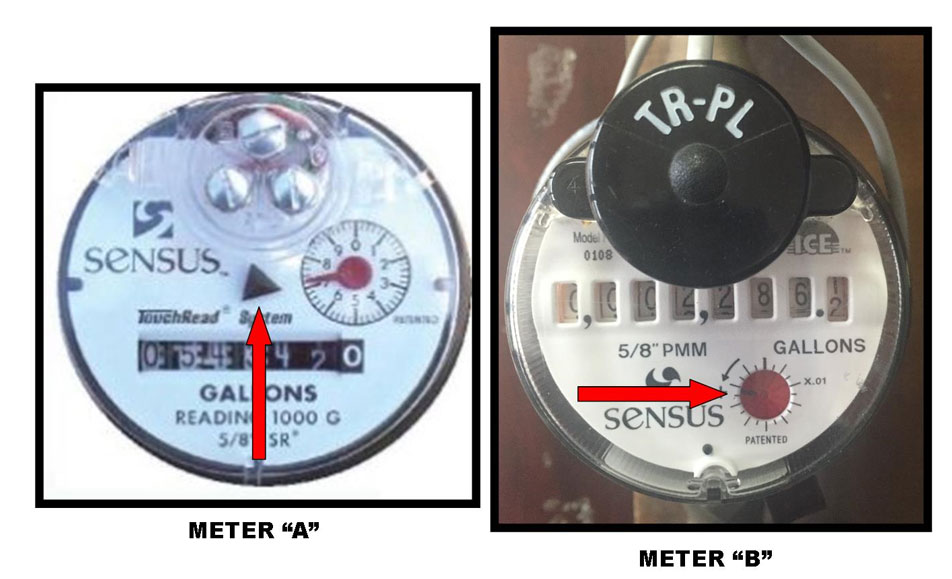
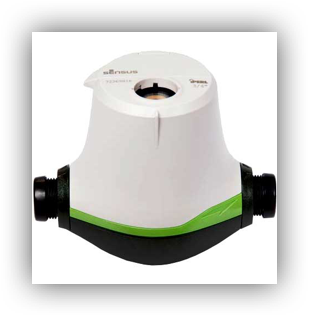
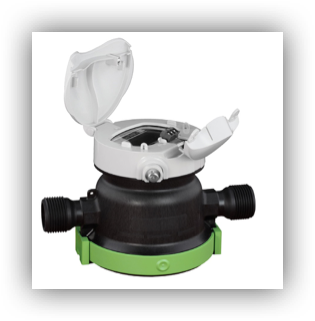
The Texas Water Co. uses two types of meters: analog and digital. Use the photos below to determine which meter is at your service location.
Sensus SR2 Meters
It may be necessary to wipe off the face of the meter to see it. This meter has a "test" hand that rotates clockwise when water is used. Observe the "test" hand very closely. If there is any movement in the "test" hand and you are sure water has been turned off, most likely there is a leak.
- The test hand on the meter "A" is a black triangle above the read numbers.
-
On meter "B," the test hand is a small red knob in the bottom right-hand corner of the meter.
Digital Meters
iPERL
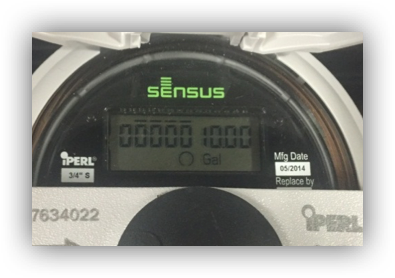
To detect a leak with our Sensus iPearl meters, lift the lid on the actual meter to expose the digital readout register. A "+" sign in the circle below the numbers will indicate water flowing through the meter. Also, the iPearl is very sensitive, so that you may notice an increasing number count on the right hand of the decimal point of the digital register. You most likely leak if you see one or both of these and are sure the water has been turned off.
Neptune
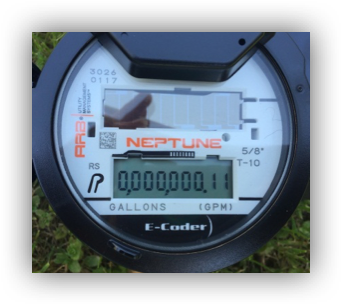
To read your Neptune E-Coder® register, expose the solar panel to sunlight or shine a bright light (i.e., flashlight or cell phone flashlight), and the display will activate. When activated, the LCD will first show a segment test.
Click here to learn how to read the Neptune E-Coder® register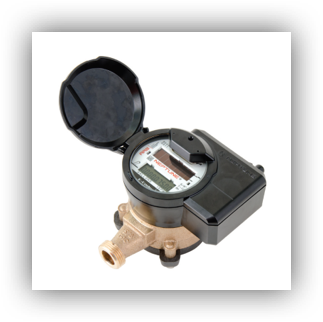
Accustream
Reading Methods
Texas Water Co meters are read by Touch Read Technology or Automatic Meter Reading (AMR), also known as Radio Read.
Touch Read meters use a reading collection device with a wand attached. Contracted meter readers collect the meter read electronically by touching the wand to the sensor on the top of the meter box. This triggers the device to collect the reading, which is then stored in a handheld reading device.
AMR meters transmit meter readings using a radio signal device called an MXU (Meter Transceiver Unit), usually on top of a meter box. The MXU is connected to the water meter and is activated by either a handheld device or a vehicle-transported unit. The reading equipment collects the meter reading for export to the billing system. AMR meter readings are collected by a Texas Water Co employee driving a vehicle equipped with meter reading devices through the service area.
Reading The Meter
It's easy to read your meter and track your usage. It can often help determine how much water is used daily or weekly. Each time you take a reading, subtract the previous reading to get the usage for that period.
How Is the Meter Read?
Texas Water Co meters read water in gallon increments.
Your monthly bill contains the following meter information:
- The service period
- The previous and current reading
- Number of gallons measured
- Number of days in the billing period
Texas Water Charges in 100 Gallon Increments
We do not begin to charge for usage until 100 gallons have traveled through the meter.
Analog Meter
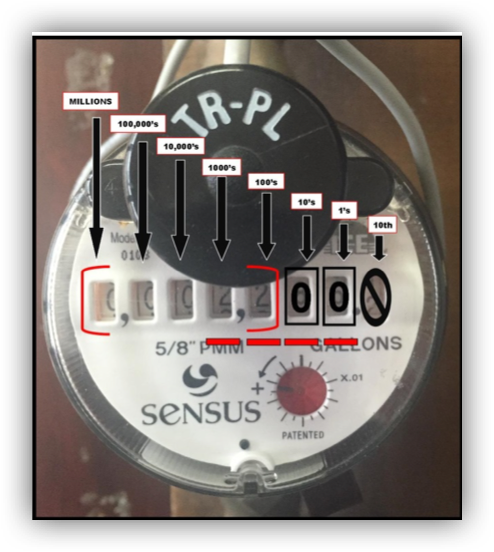
The diagram shows 2,200 gallons
Digital Meter
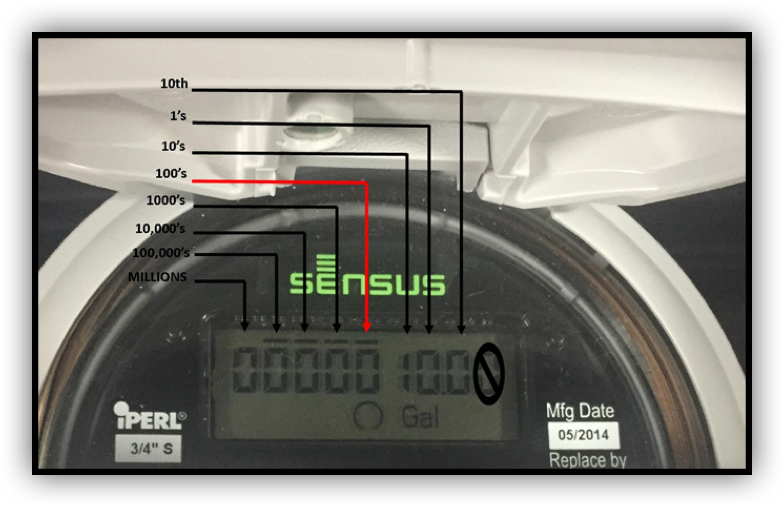
The diagram shows 0 gallons. You will see 1 in the 10’s place on the digital meter. Because we read in 100-gallon increments, we would consider that number a zero.